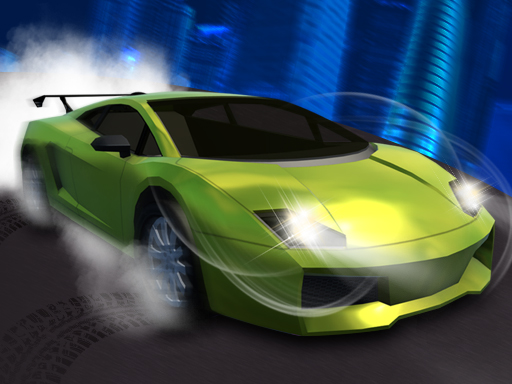
Extreme Car Driving Simulator
4,777
Experience Extreme Car Driving Simulator, an intense and realistic car driving game that pushes your skills to the limit. With a cutting-edge 3D engine, this simulator offers four thrilling game modes to test and enhance your driving abilities. In Open World Mode, embark on various missions where you'll transport passengers across diverse routes. The Parking Mode challenges you to park vehicles in tight, tricky spots, putting your precision under the microscope. With six additional cars available for purchase, you can upgrade your fleet and continue to hone your driving prowess. Are you ready to take on these challenges?
Recommended Games
★ 4.2
Bike Stunt BMX Simulator
WASD keys control movement. Press Shift to sprint for faster travel. Use Space to jump over obstacles or reach higher platforms.
5,180
★ 4.3
Speedy Race Math
Click or tap numbers in sequence to advance. Rotate your device for landscape mode enhancing interaction and visibility.
5,003
★ 4.0
Spra racing cars speed
Use WASD keys to control the movement of the character. W moves forward, S moves backward, A turns left, and D turns right. This setup provides flexibility for navigating through levels and obstacles.
5,355

★ 4.2
Moto Attack Bike Racing
Click or tap the screen to interact and progress through the game. Use these inputs to respond to in-game prompts and solve challenges.
4,561
★ 5.0
Drift Rider
Navigate the vehicle using WASD or Arrow keys for movement. Press Space to brake. Use R to reset the car if needed. Press P to enlarge the screen for better visibility. Toggle camera views with C for different perspectives.
5,223

★ 4.4
Build A Rich Queen
Click or tap on the screen to interact and play.
3,197
★ 4.2
Mask Evolution 3d
Click or tap on the screen to interact with the game elements. Each click or tap will trigger actions within the game, such as selecting items, making characters move, or responding to in-game prompts. Use these interactions to progress through levels and achieve objectives.
4,169
★ 4.4
Kitty Rush
Click or tap on the screen to interact and play. Use mouse clicks for desktops or taps for mobile devices to trigger actions within the game.
4,355

★ 4.8
Roblox Craft Run
Click or tap the screen to interact and progress through the game. Use these inputs to respond to in-game prompts and solve challenges.
5,176
★ 4.4
Madness Driver Vertigo City
Players use W A S D for movement and arrows for nitro in 1P mode. Press L-SHIFT for nitro, R to restart, and T to look back. In 2P mode, player 2 uses arrow keys for movement, R-SHIFT for nitro, O to restart, and P to look back.
7,633

★ 4.9
Traffic Racing: Overtake Everyone
Begin by selecting a car from your garage, each with unique attributes. Decide on the driving mode: one-way or two-way traffic. Navigate through the city, maneuvering your car to avoid collisions with other vehicles.
4,225
★ 5.0
Hobo Speedster
On PC, use 'A' to go left and 'D' to go right. On Mobile, press and hold the accelerator buttons on the screen to move left or right.
6,135
★ 4.3
Impossible Tracks 2D
Press the D key to move forward and the A key to move backward. To enhance navigation, pressing D accelerates your character forward, allowing exploration of areas ahead. Conversely, pressing A moves your character backward, providing an easy way to retreat or adjust position. This simple control scheme ensures smooth movement in either direction, making navigation intuitive for players.
6,246
★ 4.9
Super Dog Hero Dash
Click or tap the screen to interact and progress through the game. Use these inputs to trigger actions, select options, or navigate within the game environment.
6,288
★ 4.7
Burnout Car Drift
Navigate using WASD or arrow keys. Press SPACE to brake.
7,936

★ 4.5
Space Drift
Click or tap on the screen to interact and play.
5,745

★ 4.9
Roblox Climb Motorbike
Drive your bike around the circuit, accelerating with W and braking with S. Use arrows to rotate and spacebar to jump. Collect coins to unlock new skins. Reach the finish line of each level by mastering the track.
3,144
★ 4.7
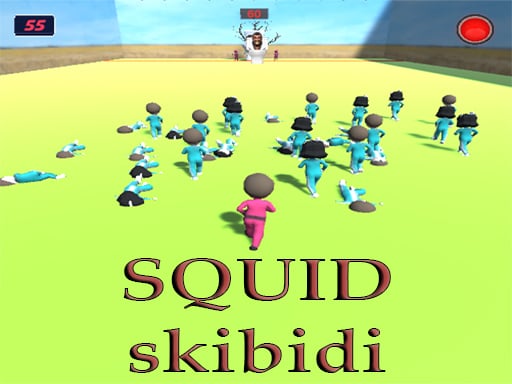
SQUID SKIBIDI
Click or tap the screen to interact and progress through the game. Use these inputs to respond to in-game prompts, solve puzzles, and navigate levels. Engage with characters and objects by simply clicking or tapping.
4,912

★ 4.4
Run 71 Speed
Use WASD keys to control the movement of your spaceship. Move forward with W, backward with S, left with A, and right with D to navigate through space.
7,491